
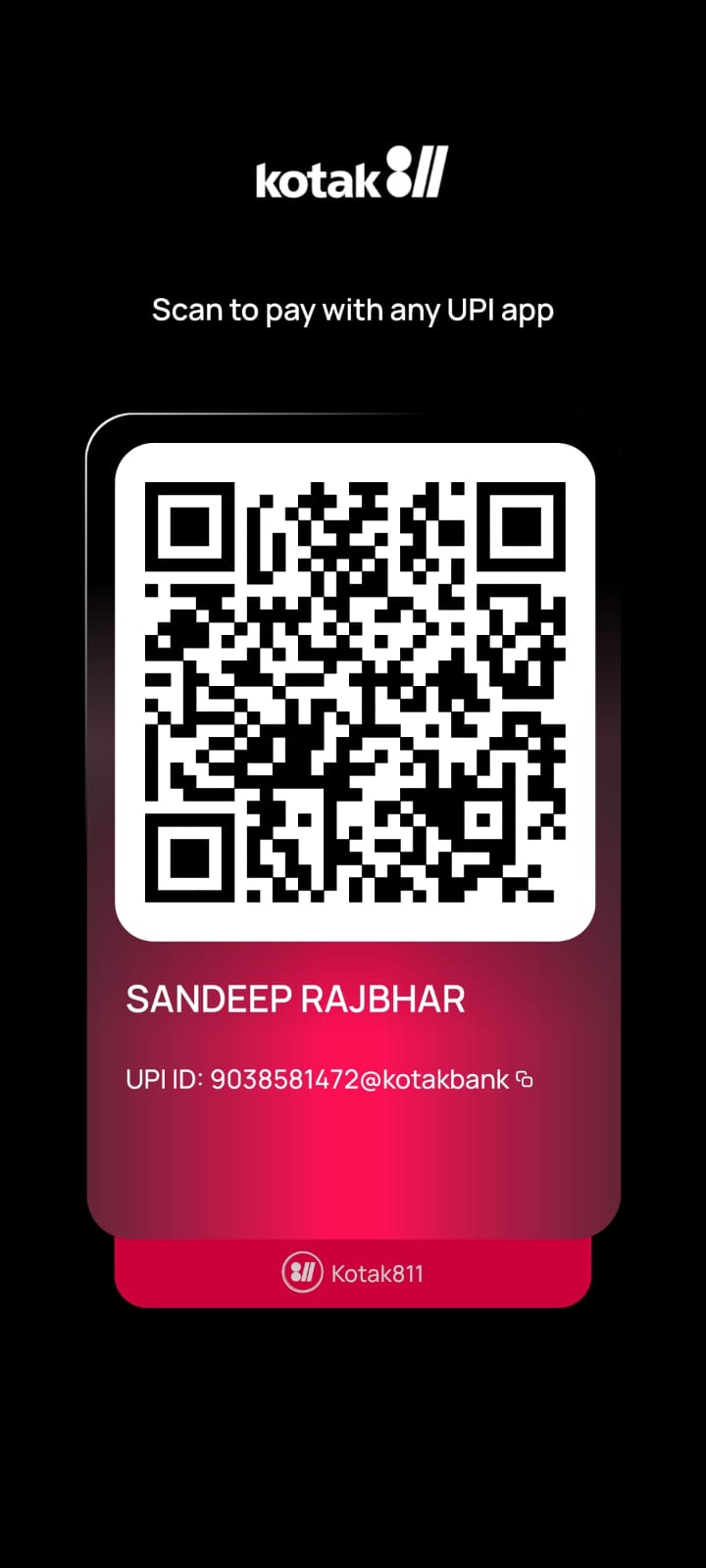
Complete Your ROC Course Payment Through UPI QR
Please watch the payment guide video, scan the QR code, pay the correct course fee, and send the successful payment screenshot on WhatsApp. Course access will be shared after manual payment verification.
Scan To Pay
Use PhonePe, Google Pay, Paytm, BHIM or any UPI app.
Steps To Buy The Course
Follow these simple steps for quick enrollment.
Select Your Course
Choose Practical ROC Course for ₹2,999 or Advanced ROC Course for ₹5,999.
Scan QR & Pay
Pay the exact amount through UPI. Please verify UPI ID before payment.
Send Screenshot
Fill the form and send WhatsApp message. Attach payment screenshot manually.
Do’s Before Payment
- Pay the correct amount as per selected course.
- Verify UPI ID: 9038581472@kotakbank.
- Take clear screenshot after successful payment.
- Send correct name and WhatsApp number.
Don’ts Before Payment
- Do not make partial payment without confirmation.
- Do not send failed or pending payment screenshot.
- Do not pay to any other QR code or number.
- Do not forget to mention course name.
Send Payment Confirmation
Fill this form after payment. It will open WhatsApp with your details.
Frequently Asked Questions
Common payment and enrollment related questions.
Is this payment page genuine?
Yes. This page is for direct UPI payment through QR code. Payment is manually verified after you send the successful payment screenshot on WhatsApp.
Can I ask questions before payment?
Yes. You can directly message on WhatsApp number 9038581472 before making payment.
What should I do after payment?
After payment, fill the form, click the WhatsApp button, and attach the successful payment screenshot in WhatsApp chat.
When will I get course access?
Course access will be shared after verification of payment screenshot and details.
Need Help Before Payment?
Connect on WhatsApp for course details, payment query, batch access or enrollment support.